
Oboro: Fading Forest
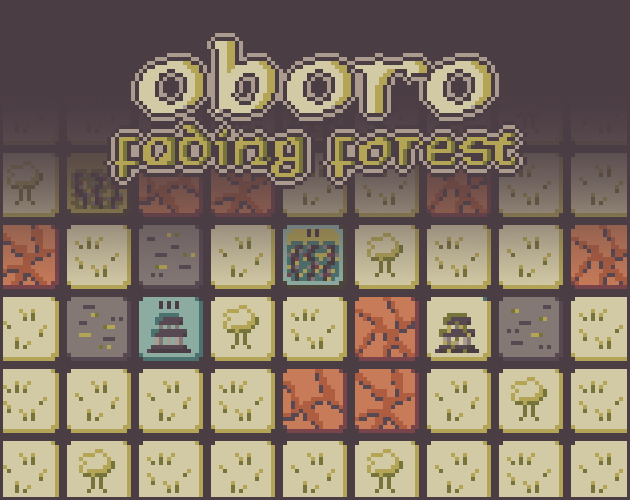
The Forest of Oboro is slowly fading. The four ancient shrines act as beacons to protect against the spreading decay, but they need to be rekindled to sustain them. Every round you'll harvest materials and craft magical items in order to survive as many rounds as possible and save the forest from decaying. A turn-based roguelike strategy game.
Credits
This game was made in 9 days for Dutch Game Jam - Fall 2025 by Danae Dekker, and uses the following pre-made assets:
- Lost Century Palette by CopheeMoth
- TinyUnicode Font by Nimble Assets Collective
- Better Minimal WebGL template by Sean S. LeBlanc
Tutorial
Save the Forest of Oboro from decay by harvesting materials, crafting tools and rekindling the shrines. You'll win the game by removing all decayed tiles from the board. You'll lose when all shrines have lost their levels.
Every round consists of four phases: Growth, Harvest, Craft, and Upgrade.
Growth Phase
In the Growth Phase the following things will happen:
- All shrines will lose 1 level.
- Decayed tiles will spread to all of their neighbors, unless protected by a shrine or wall.
- Soil tiles will grow items under the influence of the shrines.
Every shrine grows 1 item per level, as long as there are enough empty soil tiles available in the range of the shrine.The level and range of a shrine are shown when you hover over its tile.
Which item will grow depends on the growth cycle of the shrine. Shrines grow items from left to right in their growth cycle, and repeat the cycle after 3 items. The growth cycle of a shrine is shown when you hover over its tile, and items that will grow next round are marked blue.
Harvest Phase
In the Harvest Phase you can harvest grown items from soil tiles to use them for crafting in the next phase. You can click on soil tiles to harvest their grown materials.
Choose carefully which items you want to harvest, because basket slots are limited and you can't harvest more once you finish this phase.
Craft Phase
In the Craft Phase you can craft the materials you've harvested earlier into useful tools to alter the tiles on the board. You can click on recipes to craft them, and click on items to use them on applicable tiles.
Note that you can't harvest more items in this phase, just use the ones that are in your basket.
Upgrade Phase
In the Upgrade Phase you must choose one upgrade that will help you during the rest of the run. The upgrades can be new recipe unlocks, or instant or permanent bonuses to the board.
Download
Development log
- Oboro 1.0.1 - The Seed UpdateOct 31, 2025
Comments
Log in with itch.io to leave a comment.
Eerste keer begreep ik de UI niet helemaal. Misschien is het goed om even af te kijken bij minecraft. Draggen en droppen en dan het recept toepassen voelt dan wat natuurlijker imo. Vind de graphics echt top (Dikke pixels vind pimpedpixel mooi). Verder is de GUI heel vloeiend hoor en knap werk binnen 8 dagen. Wat ik ook mooi vind is de goed gevonden balans van de upgrades tijdens het voortschrijden van het spel. Heb level 6 gehaald en moet nog wat slimmer plannen. Heb Whiskey (Wine) op de Mac gebruikt om het te spelen en dat werkt perfect (sowieso alle Unity games werken daar perfect). Ga eerst nog wat verder spelen en dan raten…
Super nice! Ik was even overweldigd door de hoeveelheid informatie aan het begin, maar het is eigenlijk heel makkelijk te begrijpen 😄
Bedankt! Wellicht dat ik nog een betere hands-on tutorial ga maken in plaats van de lap tekst, maar dit was het meest haalbare binnen de game jam-tijd.
Dat dacht ik al haha, groot gelijk om te focussen op de gameplay tijdens de jam in plaats van de tutorial :) It paid off ✨
Love the UI hover and clicking sounds! Are those custom and would you consider making them available for download?
Thank you! They are from the Ovani Inventory Sound FX Pack Vol. 2, in fact most sounds of the game are from Ovani packs. The UI sounds specifically are Item Accessory C and Item Weapon A.
Ah tysm!
how did you make this so fast
I suppose a combination of keeping the scope small and re-using UI code from my other projects :D